Dark mode toggle
Professional Standards
Both individually and in teams, students must apply a relevant methodological approach used in the professional field to formulate project goals, involve stakeholders, conduct applied research, provide advice, make decisions, and deliver reports. In doing so, they keep in view the relevant ethical, intercultural, and sustainable aspects.
Group contract:
Our group made a contract/agreements to set clear expectations for each other. This covers things like being on time, attending meetings, how we communicate, and more. It's a great way to keep everyone accountable and discuss solutions if any issues come up. I think this is important for maintaining professional standards, as it "sets" some ground rules for us to follow.

Having a group contract is nice, as it makes sure we all have to do our best to finish our tasks.
See contract
Transmedia Students:
For our project for the Fairytale Festival, we're collaborating with the Transmedia Minor at Fontys in Tilburg. We have a few ways to stay in touch:
• Quick Texts: We use WhatsApp for quick messages, aligning appointments, and sharing ideas.
• Online Meetings: We use Teams for virtual meetings, working on files simultaneously and sharing documents.
• Formal Information: Email is reserved for formal communication, like updates from the client.

First Meeting
In our first meeting we discussed our respective concept ideas. The Transmedia Minor showed us their high-concept slides in Canvas, which were very compatible with ours. They had more storyline ideas, while our group (Studio Prism) had more ideas on the technology side. We decided to combine our concepts and planned a meeting with the Fairytale Festival organizer to get feedback.

Second Meeting
In the next meeting, we met Joris, the Fairytale Festival organizer. The Transmedia Minor expanded on their idea, but Joris revealed that he had a different vision and a very limited budget for technology. This blindsided us, as we had to rethink our project from scratch without much tech.

Troubles
In the following weeks, we had little contact with the Transmedia Minor. Feeling on our own, we decided to continue with our original concept to have something to show and keep working towards our semester goals.

Third Meeting
We finally met the Transmedia Minor in person and discovered they had moved on with their ideas without communicating with us. We showed our original green screen/choice-based game concept. With some tweaking, we realized the two projects could work together. We sent our budget requirements to Joris, but it was unclear if it would be enough.

Fourth Meeting
We had an online meeting, including the client, to see if our concept idea worked for them. We learned that we were on the right track and that our ideas were pretty good, even without much technology.

Last Meeting
The Transmedia group wanted to create a story/activity for each fairy and realized our idea could fit with the wisdom fairy. We adjusted our game to match this theme.

In the End
Now, at the end of the project, we're happy with what we created despite the ever-changing information throughout the semester. Communication with the Transmedia Minor wasn't as good as we'd hoped, but we still made something that fit their Transmedia plan.
Scrum:
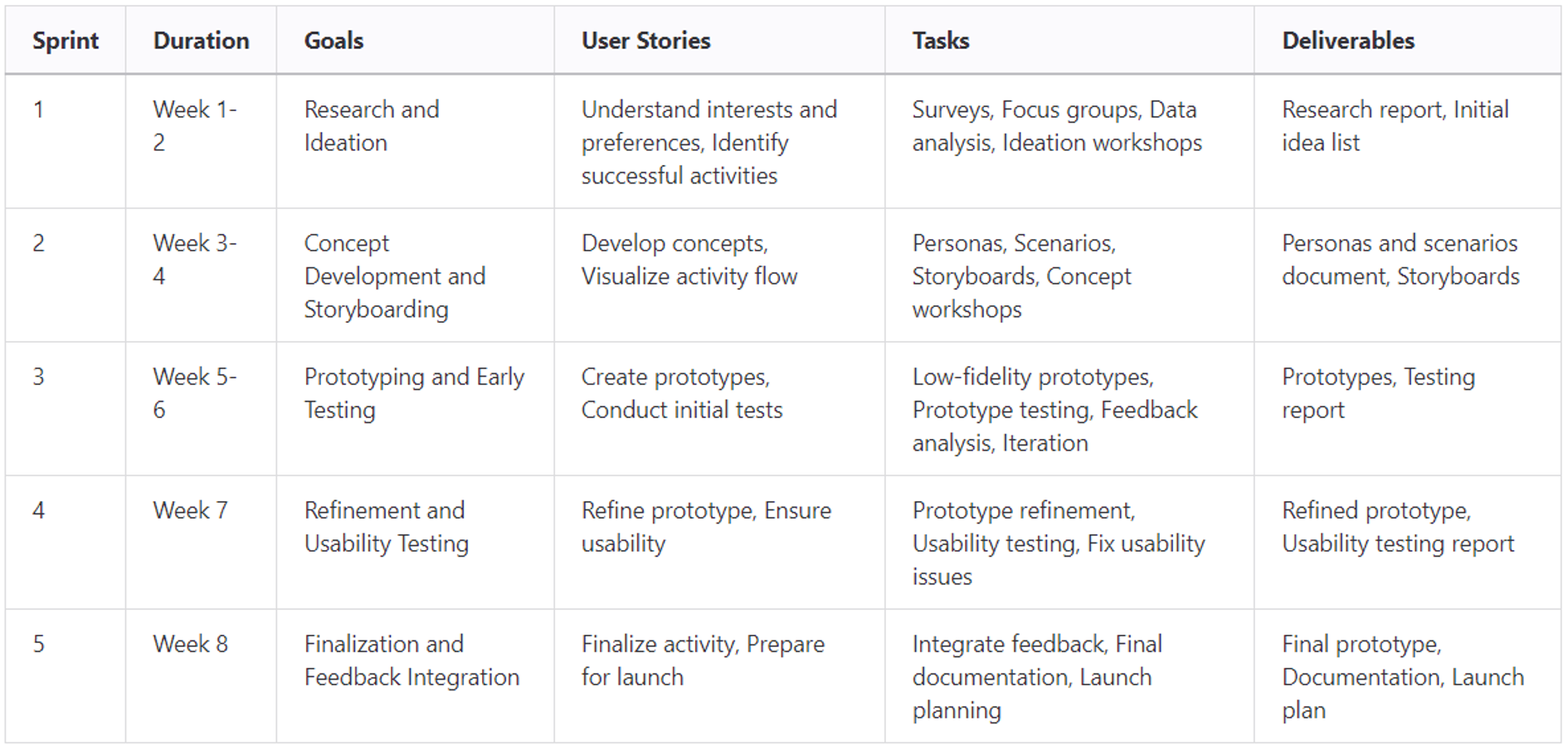
To work efficiently towards our project's finalization, we asked ChatGPT to generate a scrum chart for us. We used AI for this because we wanted to be super efficient and also get some inspiration for research methods. We tweaked the chart a bit to fit our needs and the semester's schedule.
an image of the scrum table
Week 1-2: Sprint 1 - Research and Ideation
• Goal: Understand user needs and generate initial ideas
• Tasks:
-> Conduct surveys and questionnaires with children, parents, and educators (Museums in the end).
-> Analyze data from surveys and focus groups.
-> Conduct brainstorming and ideation workshops.
• Deliverables:
-> Research report summarizing findings.
-> Initial list of ideas for the activity.
-> Add to concept report.

Week 3-4: Sprint 2 - Concept Development and Storyboarding
• Goal: Develop concepts and visualize the activity flow
• Tasks:
-> Develop personas and scenarios.
-> Create storyboards for different activity concepts.
-> Conduct workshops to refine concepts.
-> Select the most promising concept for further development.
• Deliverables:
-> Personas and scenarios document.
-> Storyboards of selected concepts.
-> Add to concept report.

Week 5-6: Sprint 3 - Prototyping and Early Testing
• Goal: Create prototypes and conduct initial tests
• Tasks:
-> Create paper and simple digital prototypes.
-> Organize prototype testing sessions with participants.
-> Collect and analyze feedback from testing sessions.
-> Iterate on prototypes based on feedback.
• Deliverables:
-> Low-fidelity prototypes.
-> Prototype testing report.

Week 7: Sprint 4 - Refinement and Usability Testing
• Goal: Refine the prototype and ensure usability
• Tasks:
-> Refine the prototype based on initial feedback.
-> Conduct usability testing sessions with participants.
-> Identify and fix any usability issues.
• Deliverables:
-> Refined prototype.
-> Usable interactive story website.

Week 8: Sprint 5 - Finalization and Feedback Integration
• Goal: Finalize the activity and prepare for launch
• Tasks:
-> Integrate final feedback into the prototype.
-> Prepare final documentation and guidelines for the activity.
-> Plan for launch and maintenance strategies.
• Deliverables:
-> Finalized activity prototype.
-> Advice report.
-> Demo.
-> Presentation.

Reflection / Conclusion
The scrum chart helped us organize our work and stay on schedule. Sure, we made some mistakes and sometimes our sprints overlapped, so we had to play catch-up. But overall, it helped us as a group to stay on track.

I personally like this way of working because it breaks down the project into clear, manageable steps. However, I quickly lost sight of the sprints and sometimes felt lost in the work that needed to be done. This made it hard to know what steps to take and when, which left me feeling a bit overwhelmed at times.
Studio Process:
Discover
For out project, we basically had to make a product for a "Sprookjes karavaan". We had to work together with Transmedia students in order to create an immersive story that kids from 6 to 12 would enjoy. To find out what they would like, we wanted to conduct interviews. However, it was really difficult approaching this target audience. That's why we went for “second hand research”. We went for an approach where we interviewed a museum which has the same target group, and also creates immersive and engaging experiences.

Define
We used several tools to define our problem, like empathy maps, affinity diagrams, mind-maps, and a lotus blossom chart. These helped us develop our concept. The basic idea was for kids to stand in front of a green screen with another screen showing them as the main character in their own story. They make choices, and based on those choices, different paths are being opened, so that each round can feel like a new experience.

Develop / Test
Once we had the concept, we expanded on it by creating different paths the kids could choose. We started with a basic sketch on paper, quickly followed by a flowchart in Figma and worked up to mid- and high-fidelity prototypes. We then tested these and made changes based on feedback. All of this is documented.

Deliver
I created a website that could be used as a green screen background or to be used with a projector. This story has 4 possible “paths” in total, but all with the same end goal. We also recorded a demo video in the Pixel Playground. I was one of the “kids” that showed a demo of this project, which is basically a playthrough video to show the experience kids would have. We also made another video showing one of the other paths that could be taken.

Research Questions and Methods
We developed the following "How Might We" (HMW) questions to guide our research:
• How might we keep the activity simple enough for all children aged 6 to 12 to play?
• How might we make the activity engaging for these ages?
• How might we make the activity robust and low-maintenance?
• How might we provide positive feedback to keep children motivated?
• How might we design an inclusive activity appealing to everyone, even those not interested in fairytales?
• How might we use technology to create a trans-media activity that is still simple for kids to play?

All these questions led to our big main research question: “How do we design an inclusive, engaging, and low-maintenance activity that uses simple technology to provide positive feedback and appeal to children aged 6 to 12, ensuring it is robust and enjoyable for all, even those not interested in fairytales?”
We used various methods detailed in our concept report to answer this question and finalize our concept.

Translation of the Project
We created this project in English since not everyone in our group speaks Dutch, and we needed it for communication with teachers and other students during testing. However, a translation to Dutch would be easy to make, since it's intended for Dutch children after all.

Ethical Considerations
We aimed to make the game accessible to everyone by offering multiple ways to play, accommodating various needs. We let the children choose if they want to be a knight or a fairy.

Target Group
Contacting our target group, young children, was challenging. We felt uncomfortable approaching them in public, even with their parents present. Our attempts to contact schools were unsuccessful, so we turned to museums and researched organizations with the same target group, like amusement parks.

AI Art
In our current project, we used AI art for quick and easy visualizations. However, this is not the most ethical choice since it often uses artists' work without permission. Future iterations should involve a concept artist if the budget allows it.

Conclusion
In the end, I feel like we made a fun and engaging product for the Sprookjes Karavaan in Arnhem, especially with some of the challenges we initially had. It's inclusive and accessible to all children, allowing them to enjoy themselves while also being amazed by technology. The use of props, costumes, and actors/narrators could enhance the experience further. In our Advice Report, we also mention how it could become even better in possible future iterations.

Advice Report:
Now that the project is wrapped up, we can see there's still plenty of room for improvement in different areas. This report is full of advice and recommendations to help take the project to the next level. It includes ideas we had but couldn't implement because of budget limits or other constraints. Things like custom made sprites and backgrounds, instead of using AI generated images, or the ability to use more modern ways of immersive storytelling instead of a green screen.
See Advice Report
My Approach:
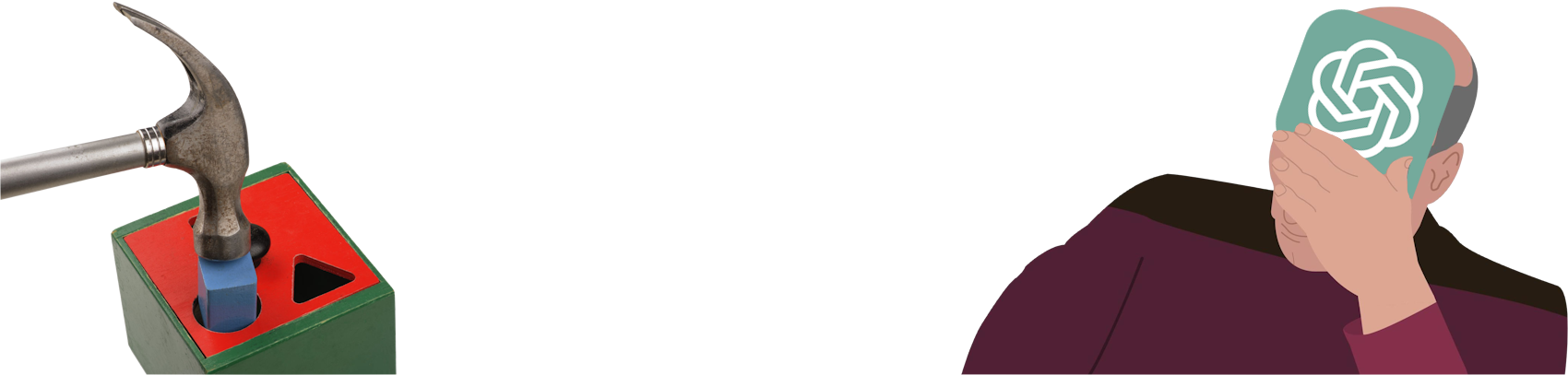
I know from myself that I often have strong ideas. When I want something, it's difficult for me to let that go. And sometimes, when I feel like I want something, I don't do the proper research to find out how I should get this result. And it often happens that I start with the implementation of the thing I want, but along the way I come across more and more roadblocks, as the way I'm trying to do it isn't considered the normal way. And yes, there are multiple ways to Rome, but I could save so much time and effort by trying to find solutions more efficiently. A tool that I am probably also not using enough is ChatGPT. I often heep hanging on a certain problem for too long, and when I ask my fellow classmates who sometimes encounter similar problems, they often say they went through it quite fast with the help of ChatGPT.

So one thing I should really learn is to first search what the best methods are for accomplishing the things I want, and when I get stuck on something, I should try using tools like ChatGPT to get me through it.
totally not me trying to force something that wouldn't work
My "New" Approach?:
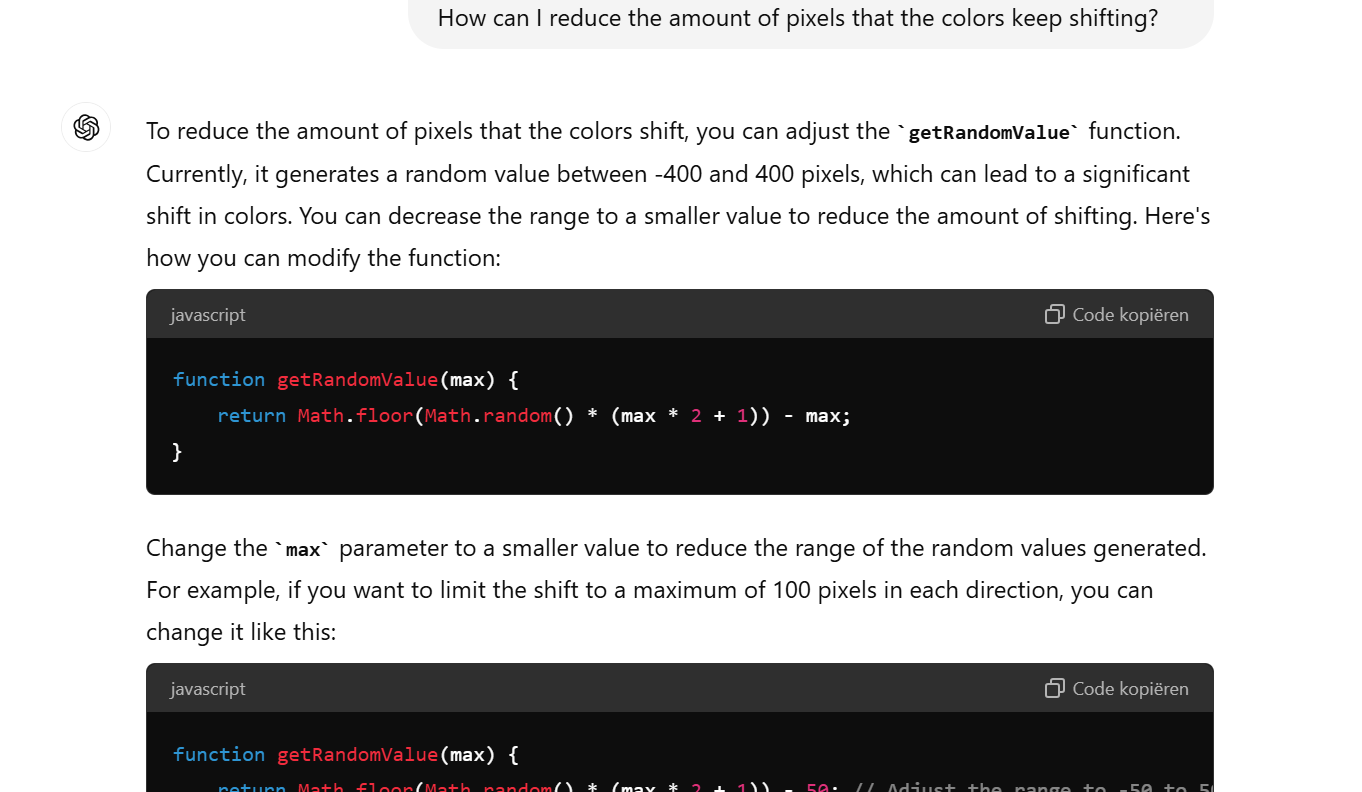
Something I wanted to try after not using ChatGPT for this long, was actually using ChatGPT for as much as I can. I wanted to make a sort of "404 page" that looks like it's glitching. After a rough start, where I didn't know where to start with, I quickly understood what sort of instructions I needed to give, and basically let ChatGPT do most of the work. I currently don't understand much of the code, as I was just running this as experiment how fast I could get an end product, and I think this only took me one and a half hour. Yes, it's bad, and it doesn't fully behave like I would want to, but I am pretty happy with the results. I feel like in the future I can better use ChatGPT as a tool to help me solve problems instead of just trying to do everything myself.

WARNING, the following page contains flashing colors and fast moving images. Please proceed with caution. See Glitch Website
using chatgpt to make a website
That's all
folks!
Scroll up button